In Pakistan, what most people call a GST number is officially a Sales Tax Registration Number (STRN). Checking it takes a few minutes online. Skipping the check can cost you the input tax on that invoice.
This guide covers how to verify a GST number with FBR and each provincial authority, what every possible result means, and what to do when a number fails.
Is a GST Number the Same as an STRN in Pakistan?
Yes. Pakistan does not issue a separate “GST number.” The term is a carryover from General Sales Tax and is still used on invoices and in everyday business. The registration itself is an STRN under the Sales Tax Act 1990.
The bigger point is that sales tax in Pakistan is split between federal and provincial authorities:
| What is taxed | Who registers it | Where to verify |
|---|---|---|
| Goods (manufacturing, import, wholesale, retail) | FBR | FBR online verification and ATL (ST) |
| Services in Punjab | Punjab Revenue Authority (PRA) | PRA online taxpayer search |
| Services in Sindh | Sindh Revenue Board (SRB) | SRB online taxpayer search |
| Services in Khyber Pakhtunkhwa | KPRA | KPRA website |
| Services in Balochistan | BRA | BRA website |
| Services in Islamabad Capital Territory | FBR | FBR online verification |
A business that sells both goods and services can be registered with FBR and one or more provinces at the same time. Checking only one may not tell you the full picture. This breakdown of GST vs sales tax in Pakistan explains the split in more detail.
What Does a Valid STRN Look Like?
There is no single fixed format for an STRN. For many businesses it is based on their NTN, and some include extra digits such as branch identifiers. That means you can’t judge a number as real or fake by its length alone. The only reliable test is an official search.
Watch for these warning signs before you run the check:
- The STRN on the invoice returns no record, or a different business name.
- The invoice shows an STRN but no NTN, or two numbers that belong to different businesses.
- The supplier won’t share a copy of their registration certificate.
- A business that was registered very recently is issuing large-value invoices.
- A goods supplier only shows a provincial number, which normally covers services.
- The supplier asks for cash, or for payment into a personal account instead of a business account.
Any one of these is a reason to verify before you pay. Two or more together are a reason to stop.
Which GST Check Fits Your Situation?
Each check answers a different question, so start with what you need to confirm:
| Your situation | What to check |
|---|---|
| A new supplier sent an invoice with a GST number | FBR or provincial registration, plus ATL (ST) status |
| You want to claim input tax on a purchase | Supplier’s Active status on the date of purchase |
| You are hiring a service provider in a province | That province’s authority (PRA, SRB, KPRA or BRA) |
| You received your own STRN and want to confirm it | Your IRIS profile and the ATL (ST) |
| A buyer says your number is not showing | Your registration status and recent sales tax return filing |
| You import or export goods | Your STRN status on IRIS, plus your PSW profile |
How Do You Check a GST Number with FBR?
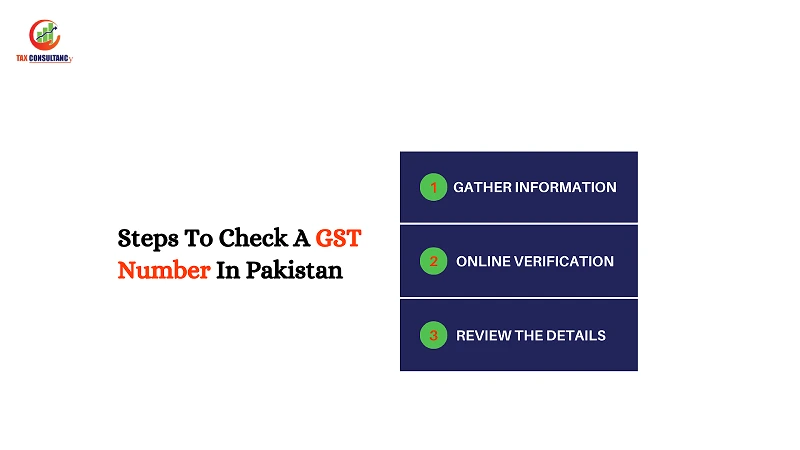
Use this for any supplier of goods, and for services supplied in Islamabad Capital Territory. The check has two steps. Complete both, because a business can hold a valid STRN and still be inactive.
Step 1: Confirm the Registration
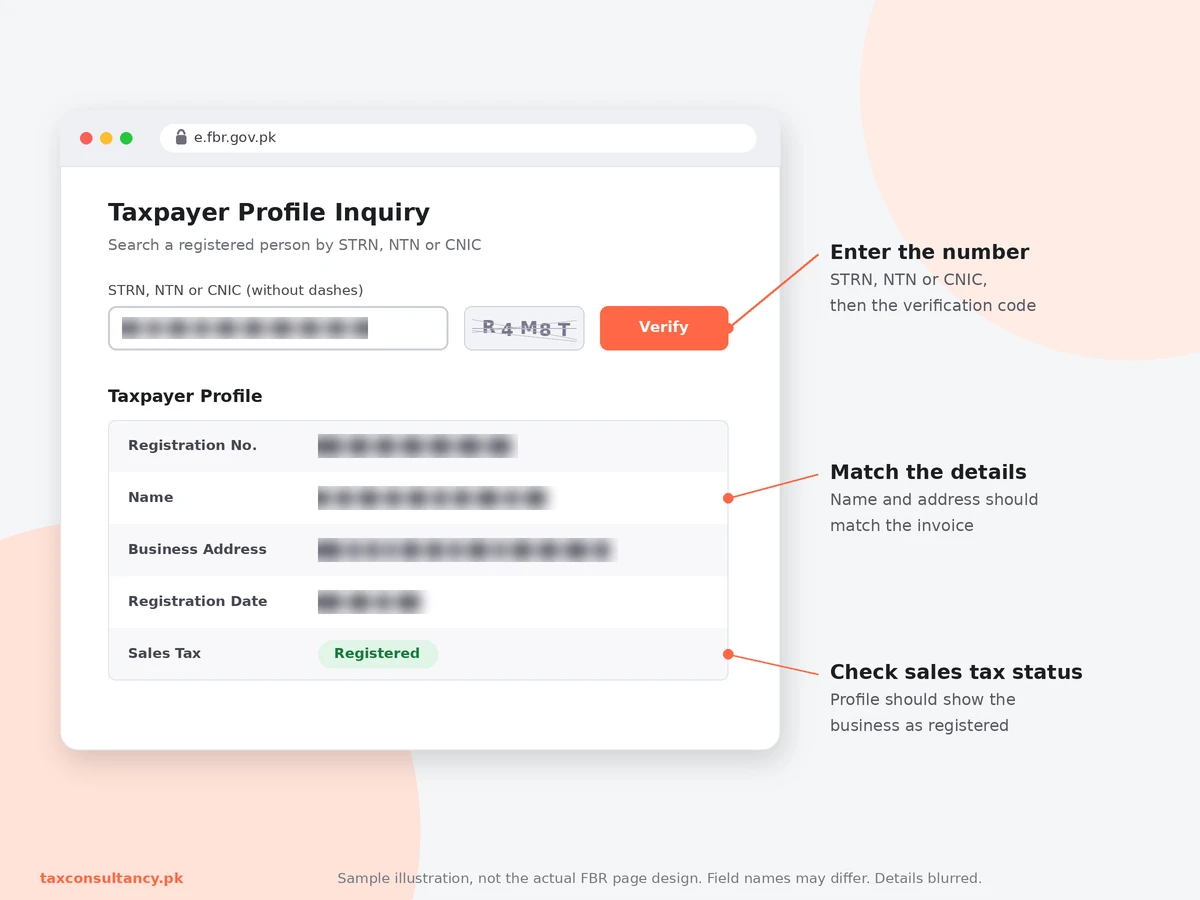
FBR replaced its older NTN/STRN inquiry with a Taxpayer Profile Inquiry. It accepts CNIC, NTN or STRN.
- Open FBR’s online verification services on the FBR e-services portal or the IRIS portal.
- Select Taxpayer Profile Inquiry.
- Enter the supplier’s STRN, NTN or CNIC without dashes.
- Complete the verification code and submit.
- Check that the name and address match the invoice, and that the profile shows the business as registered for sales tax.
If the number on the invoice returns a different business name, treat the invoice as unreliable until the supplier explains it.
Step 2: Confirm Active Status
- Open the ATL (ST) search utility from FBR’s website.
- Enter the supplier’s registration number.
- Select the date you want to check, such as the invoice date.
- Submit and read the status.
Checking against the invoice date matters. A supplier who is active today may not have been active when they issued the invoice, or the other way round.
Use the Tax Asaan App
FBR’s Tax Asaan app offers the same checks on your phone. After signing in, open the Online Verification section and use either Taxpayer Profile Inquiry or Active Taxpayer List. Enter the registration number without spaces or dashes.
This is handy when you are checking a supplier at a warehouse or a meeting, away from a computer.
How Do You Check a GST Number for Services in Each Province?
Service providers register with the province where they supply the service. Ask the supplier which authority issued their number, then check there.
Punjab Revenue Authority (PRA)
- Open the PRA online taxpayer search.
- Search by PNTN, NTN or registration number.
- Confirm the name and registration details.
- Check active status on the PRA ATL utility.
Sindh Revenue Board (SRB)
- Open the SRB online taxpayer search.
- Choose a search parameter from the dropdown, such as SNTN or NTN.
- Enter the number and submit.
- Confirm the business name and registration status.
Khyber Pakhtunkhwa Revenue Authority (KPRA)
- Open the KPRA online taxpayer search.
- Choose a search parameter, such as KNTN or NTN.
- Enter the number and submit.
- Confirm the business name and registration status.
If you received a POS receipt from a KPRA-registered business, you can also check it with KPRA’s invoice verification tool.
Balochistan Revenue Authority (BRA)
- Open the BRA online taxpayer search.
- Choose a search parameter, such as BNTN or NTN.
- Enter the number and submit.
- Confirm the business name and registration status.
If either search returns no result, contact the authority directly before accepting the invoice.
How Do You Check Many Suppliers at Once?
Checking suppliers one by one works for a few invoices. For a large vendor list, FBR publishes the full Active Taxpayer List for sales tax as a download.
- Open FBR’s ATL download page and select SalesTax (ST).
- Clear your browser cache first, so you get the latest version rather than an old copy.
- Download the file and open it in Excel or Google Sheets.
- Match your supplier list against it by registration number, using a lookup formula.
- Flag any supplier who is missing, and verify them individually through the steps above.
The list carries an update date on FBR’s ATL (Sales Tax) page. The most recent update at the time of writing was October 12, 2026. Download a fresh copy each time you run the check.
Keep in mind that the downloaded list only shows who is active now. To confirm status on a past invoice date, use the online ATL (ST) search with that date selected.
The bulk list covers FBR registrations only. Suppliers registered with PRA, SRB, KPRA or BRA need to be checked on each authority’s own portal.
What Does Each Verification Result Mean?
The result tells you what to do next. Here is how to read it:
| Result | What it means | What to do |
|---|---|---|
| Registered and active | Supplier is compliant for that period | Keep a screenshot with the invoice and process it |
| Registered but not on ATL (ST) | Supplier may have missed returns | Ask the supplier to explain and hold input tax until confirmed |
| Suspended | Registration is on hold, often during an inquiry | Do not claim input tax on their invoices for that period |
| Blacklisted | FBR found fake invoicing or tax fraud | Stop dealing and expect input tax on their invoices to be rejected |
| No record found | Number may be mistyped, new, or fake | Recheck the digits, then ask for a registration certificate |
| Name does not match | Number belongs to another business | Treat the invoice as invalid until resolved |
New registrations can take a short time to appear in public searches. If a supplier has just registered, recheck after a couple of days before deciding.
Why Checking a GST Number Protects Your Input Tax
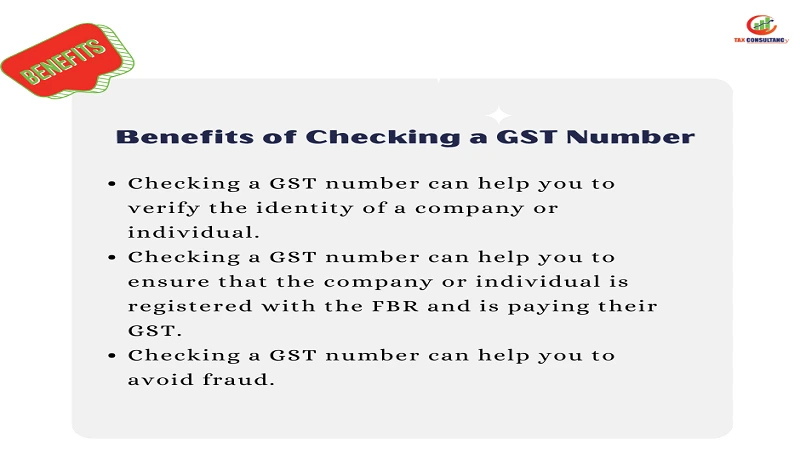
A wrong or inactive supplier number rarely causes trouble on the day you pay. It shows up later, when FBR reviews your return and disallows the input tax. Three factors decide whether your claim holds up:
Input Tax Depends on the Supplier’s Status
You can only adjust input tax on purchases from registered suppliers. Under Section 21 of the Sales Tax Act 1990, a Commissioner can suspend or blacklist a registered person involved in fake invoicing or tax fraud.
While a registration is suspended, invoices from that person are not accepted for input tax or refunds. After blacklisting, claims on their invoices can be rejected, including some made before the blacklisting.
This happens at scale. An Auditor General review flagged Rs 2.6 billion in input tax claimed against invoices from blacklisted or suspended suppliers in 2020-21.
Payment Method Matters Too
Section 73 of the Sales Tax Act requires payments for taxable supplies above a set value to be made through a banking channel, from the buyer’s business account to the supplier’s account. Cash payments above that limit can cost you the input tax even if the supplier is fully registered.
Unregistered Suppliers Create Extra Costs
Buying from unregistered suppliers leaves you with sales tax you cannot recover. Selling to unregistered buyers can trigger further tax on your side. Current rates are listed in this guide to sales tax rates in Pakistan.
What Should You Check on a Sales Tax Invoice?
A valid number is only one part of a valid invoice. Before you record a purchase, confirm the invoice shows:
- the supplier’s name, address and STRN
- your own name, address and STRN or NTN
- a serial number and date
- a description and quantity of goods or services
- the value excluding tax, the tax rate, and the tax amount
- the total including tax
Red flags include round-figure invoices with no item detail, an STRN that returns a different name, and a supplier who asks for cash or payment to a personal account.
How Do You Check Your Own GST Number?
If you have just registered, or a buyer says your number is not showing:
- Log in to IRIS and open your registration profile.
- Confirm your sales tax registration shows as active.
- Check your status on the ATL (ST) for the current date.
- If you are missing from the list, check whether all monthly sales tax returns are filed.
- Correct any mismatched CNIC, NTN or business details through a registration amendment on IRIS.
Missed returns are the most common reason a registered business drops off the active list. The steps to file a sales tax return cover how to catch up. If you are not registered yet, start with this GST registration guide.
Importers and exporters should also confirm that their STRN status on IRIS matches their Pakistan Single Window profile before clearing shipments. This guide to securing an import and export license covers the wider setup.
How Is GST Verification Different from NTN Verification?
An NTN confirms that a person or business is registered for income tax. An STRN confirms registration for sales tax. A business can have an NTN without an STRN, but not the other way round.
To confirm income tax registration, see how to verify an NTN by CNIC. For income tax filer status, which is a separate list from the sales tax ATL, see how to check your tax filer status.
Frequently Asked Questions
GST number kaise check karein Pakistan mein?
Goods ke supplier ke liye FBR ki Taxpayer Profile Inquiry ya Tax Asaan app mein STRN, NTN ya CNIC dalein. Phir Active Taxpayer List (Sales Tax) par status check karein. Services ke liye PRA, SRB, KPRA ya BRA ki website par search karein.
Is verifying a GST number free?
Yes. FBR and provincial online searches are free to use.
Can I verify a GST number using only the business name?
Public searches generally need a registration number, NTN or CNIC. If you only have a name, ask the supplier for their registration certificate.
What if my supplier is registered with a province but not with FBR?
That is normal for service providers. Verify them with the provincial authority that issued their number instead of FBR.
Should I recheck a supplier I have used for years?
Yes. Registrations can be suspended or blacklisted at any time. Recheck regular suppliers periodically and before any large purchase.
Does an inactive supplier make my past input tax claims invalid?
It depends on their status on the invoice date and the reason for the change. A blacklisting can affect earlier claims, so get advice if a major supplier’s status changes.
What proof should I keep after verifying?
Save a dated screenshot or PDF of the verification result with the invoice. It supports your claim if FBR questions the purchase later.
Get Sales Tax Compliance Support from TaxConsultancy
If a supplier fails verification, your own STRN drops off the ATL, or you’re not sure which authority you should be registered with, TaxConsultancy can sort it out. Our team checks the records, fixes what’s missing, and keeps your input tax claims on solid ground. We handle sales tax registration and filing with FBR, PRA, SRB, KPRA and BRA, including input and output reconciliation.
For businesses that need ongoing records kept in order, our bookkeeping and accounting services keep invoices, verifications and returns aligned. You can also request a consultation, and a consultant will confirm the scope and fee before any work begins.